Local MCP bridge for supervised, developer-focused automation
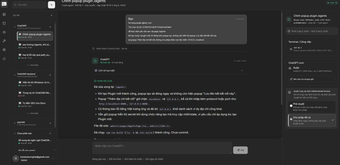
ChatCmd by Int04 is a Model Context Protocol bridge and self-hosted server for supervised local automation tasks. It connects MCP-compatible language models to a user's machine so chat interfaces can perform actionable operations under user oversight. Key attributes include local control and explicit action review to keep work auditable. The tool targets developers and power users who require controlled, machine-level automation integrated directly into their desktop workflows.
What tasks can you actually use it for?
The tool turns chat-based prompts into concrete system actions, exposing real machine tools for automation. Supported task types include interactive PTY terminals, file-system read/write operations, repository actions via Git, code execution, and splitting complex work into parallel sub-agents. Users can also offload long sessions using the Compact & Resume mechanism so multi-step workflows persist across fresh chat sessions.
How reliable and controllable are the tool's actions?
Control is enforced through tokenized MCP access profiles and granular tool permissions, which limit what an agent can call. The server provides permission-scoped runtimes and per-tool allowlists so integrations run with constrained authority. A live supervision view surfaces tool calls, file changes, and sub-agent progress in real time, giving users the opportunity to inspect activity before or as it executes.
Does it require technical knowledge to deploy and integrate?
Deployment expects developer familiarity: building from source requires Rust 1.85 and Node.js 20 or newer, though pre-built binaries are available for Windows and macOS. The server is cross-platform and also supports a Chromium browser extension to bridge web-based models. The project is open-source and maintained on GitHub by the developer and community contributors, which helps users adapt integrations to their workflows.
What practical limits affect day-to-day workflows?
The tool focuses on supervised, auditable automation rather than unattended background jobs; permission checks and approval flows introduce human gating for safety. Browser bridging depends on an optional Chromium extension when connecting web-based clients. The pipeline assumes MCP-compatible clients, so non-MCP models require the browser bridge or extra glue to integrate with local tooling.
Good fit for technically capable users who accept supervised automation
Because the project is open-source and maintained on GitHub by the developer and contributors, it suits engineers prepared to configure integrations and manage agent interactions. Users who require tight operational control and are comfortable with developer toolchains benefit most; those seeking a point-and-click, fully unattended agent experience should expect additional effort or alternative approaches.